
App Store Connect
Fill guide
Copy each value into ASC while submitting JMBpay.
Team 54XG7XQWXJ
· Bundle com.jmbpay.resident
Guide link: https://jmbpay.my/app-store/guide
Compliance links (live)
Privacy Policy: https://jmbpay.my/privacy · About / entity transparency: https://jmbpay.my/about
Step A
Agreements, Tax & Banking
Paid Applications Agreement
Accept if shown
Tax
Complete Malaysia tax forms
Banking
Add bank for payouts (even if app is Free)
Without this, Add for Review may stay blocked.
Step B
App Information
Name
JMBpay
Subtitle (optional)
Strata bills for JMB / MC
Bundle ID
com.jmbpay.resident
SKU
jmbpay-resident-001
Primary Language
English (U.K.)
Category
Finance (primary) · Utilities (secondary optional)
Age Rating
Complete questionnaire → expect 4+
Copyright
2026 JMBpay
Step C
Pricing and Availability
Price
Free
Availability
All countries you serve (at least Malaysia)
Pre-Orders
Off
Step D
App Privacy
Purpose labels: App Functionality, Customer Support. Do not claim tracking for ads.
| Data type | Collect? | Linked? | Tracking? |
|---|---|---|---|
| Contact Info (name, phone, email) | Yes | Yes | No |
| User ID / unit | Yes | Yes | No |
| Payment Info (Billplz; no card numbers stored) | Yes | Yes | No |
| Photos (ticket evidence) | Yes if shipped | Yes | No |
| Device ID / push tokens | Yes if push shipped | Yes | No |
| Diagnostics (crash) | Optional | No | No |
Step E
iOS Version 1.0 — Product Page
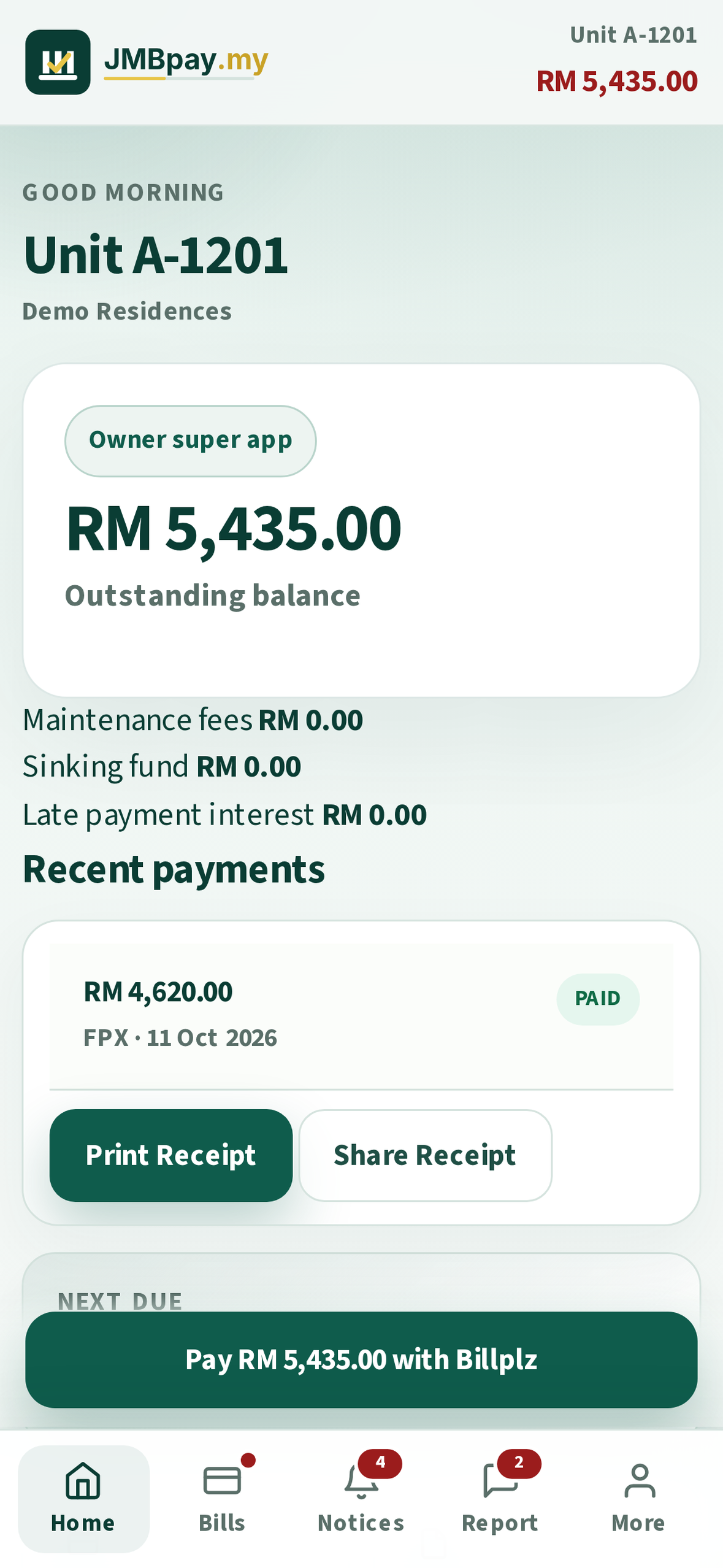
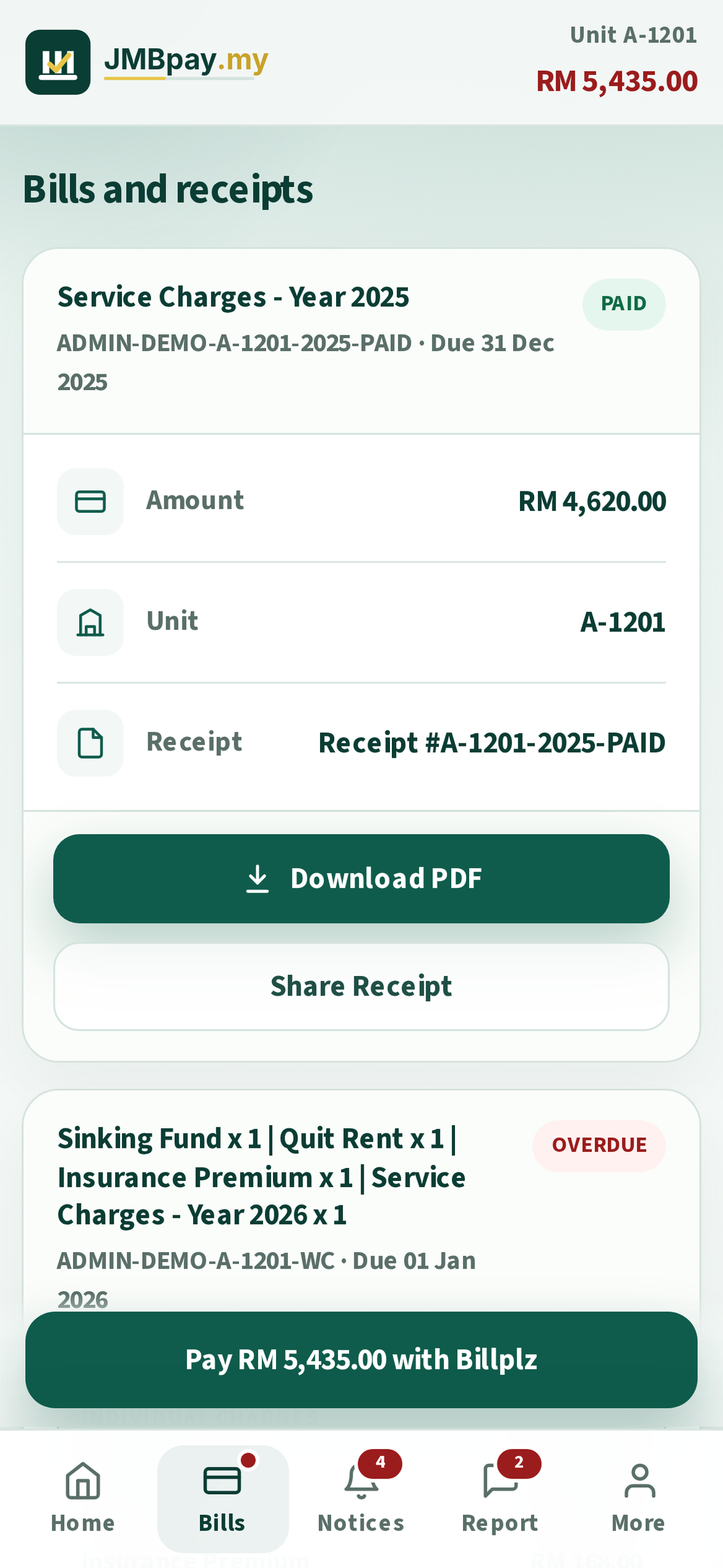
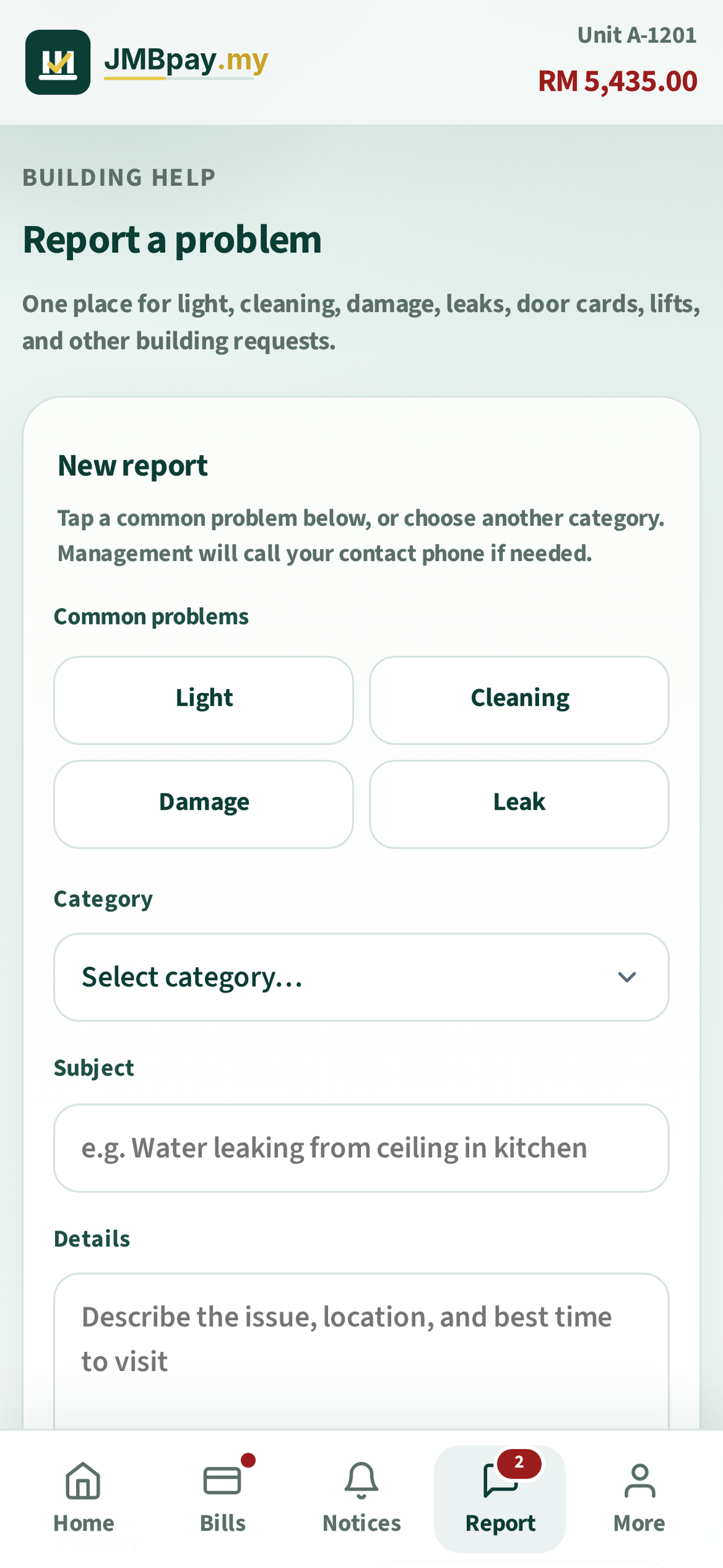
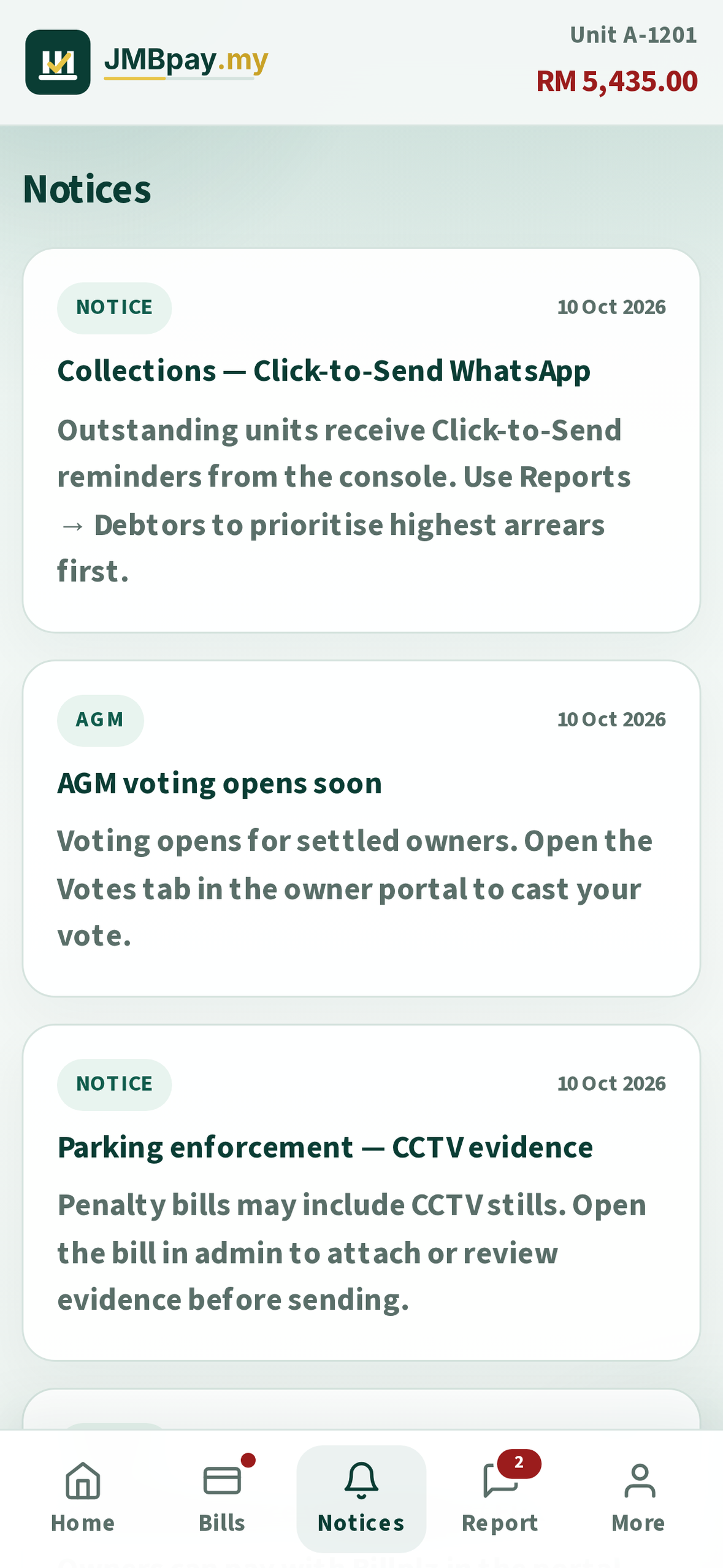
Screenshots · Dynamic Island medium (1179×2556)
Required ASC slot. Do not upload 1290×2796 here (invalid dimensions). Download from the assets page or ZIP.
-
1.
plain-01-home-1179x2556.pngDownload -
2.
plain-02-bills-1179x2556.pngDownload -
3.
plain-03-tickets-1179x2556.pngDownload -
4.
plain-04-notices-1179x2556.pngDownload -
5.
plain-00-picker-1179x2556.pngDownload
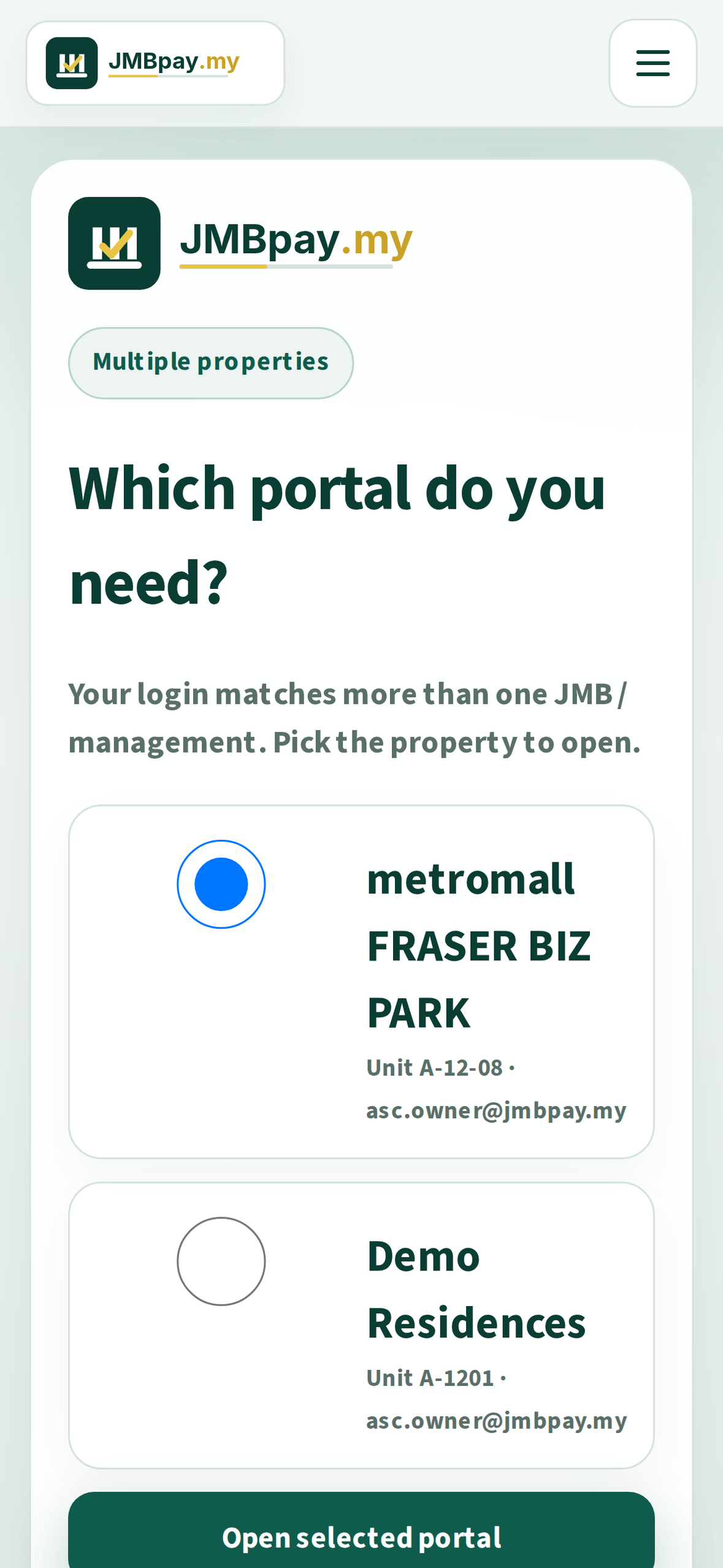
Promotional Text
Pay strata maintenance fees, view receipts, and read building notices — built for Malaysian JMB / MC owners.
Description
JMBpay helps strata unit owners pay maintenance fees and stay updated with their building.

• Find your JMB / MC from a live residence directory
• View outstanding and paid bills
• Pay online (Billplz)
• Download / share receipts
• Read notices and updates from your JMB or MC
• Open tickets with your management office
• Switch units when you own across buildings

JMBpay is the official owner portal software for subscribed Malaysian Joint Management Bodies (JMB) and Management Corporations (MC). After you select a residence, bills and notices come from that management body — not a generic unaffiliated payments app.

Publisher: JMBpay · jmbpay.my
Privacy: https://jmbpay.my/privacy
About / transparency: https://jmbpay.my/about
Keywords
strata,JMB,MC,maintenance,condo,billing,Billplz,owner,fees,receipt
Support URL
https://jmbpay.my/
Marketing URL
https://jmbpay.my/
Privacy Policy URL
https://jmbpay.my/privacy
About / transparency
https://jmbpay.my/about
Version
1.0
Copyright
2026 JMBpay
Step F
App Review Information
Sign-in required
Yes
User name
demo
Password
demo
First name
Kenneth
Last name
Hong
Phone
+60168008400
Your Apple ID email
Review Notes
JMBpay is a Malaysian strata (JMB/MC) owner billing app published by JMBpay.

Entity transparency: after an owner selects a residence, the app is that development’s official subscribed JMB/MC owner portal (bills/notices from that management body). It is not a generic unaffiliated payments app. Demo Residences is fictional for screenshots/review.

Privacy Policy: https://jmbpay.my/privacy
About / who we represent: https://jmbpay.my/about

Screenshots use fictional Demo Residences (JMBpay branding) plus the multi-property picker — not a single white-label JMB.

Login loads residences from our live API (database). New JMBs appear without an App Store update.

Demo login for App Review:
1. Open the app → "Find your residence"
2. Select CQ Management (or search "CQ")
3. Unit: demo
4. Password: demo

Alternate: Metro Pudu / metromall — same unit/password demo.

Web one-tap demo: https://jmbpay.my/try/go/owner
PWA: https://jmbpay.my/resident/

Admin console is web-only (not in this iOS binary):
https://jmbpay.my/try/go/admin — demo@jmbpay.my / demo

No in-app purchases. Production payments use Billplz; demo uses sandbox.
Support: https://jmbpay.my · WhatsApp +60129608400
Step G
Build (get the IPA)
On a Mac with Xcode + Flutter + Apple ID. Signing team 54XG7XQWXJ · Bundle must match com.jmbpay.resident.
open apps/ios-resident/CQOwner.xcodeproj
# Product → Archive → Distribute App
# Bundle id: com.cqmanagement.resident
# Upload with Apple Transporter or Xcode Organizer
- • IPA: Archive from
apps/ios-resident/CQOwner.xcodeproj - • Upload with Apple Transporter or Xcode → Window → Organizer → Distribute App
- • Codeberg
jmbpay-my.zipis website Auto-update only — not for ASC
Missing Compliance?
Click the build → Manage / Missing Compliance → uses encryption:
Yes → qualifies for exemption: Yes (HTTPS / standard encryption only) → Save.
Newer IPAs set ITSAppUsesNonExemptEncryption=false so this is often skipped.
Step H
Submit checklist
Ticks save in this browser only.